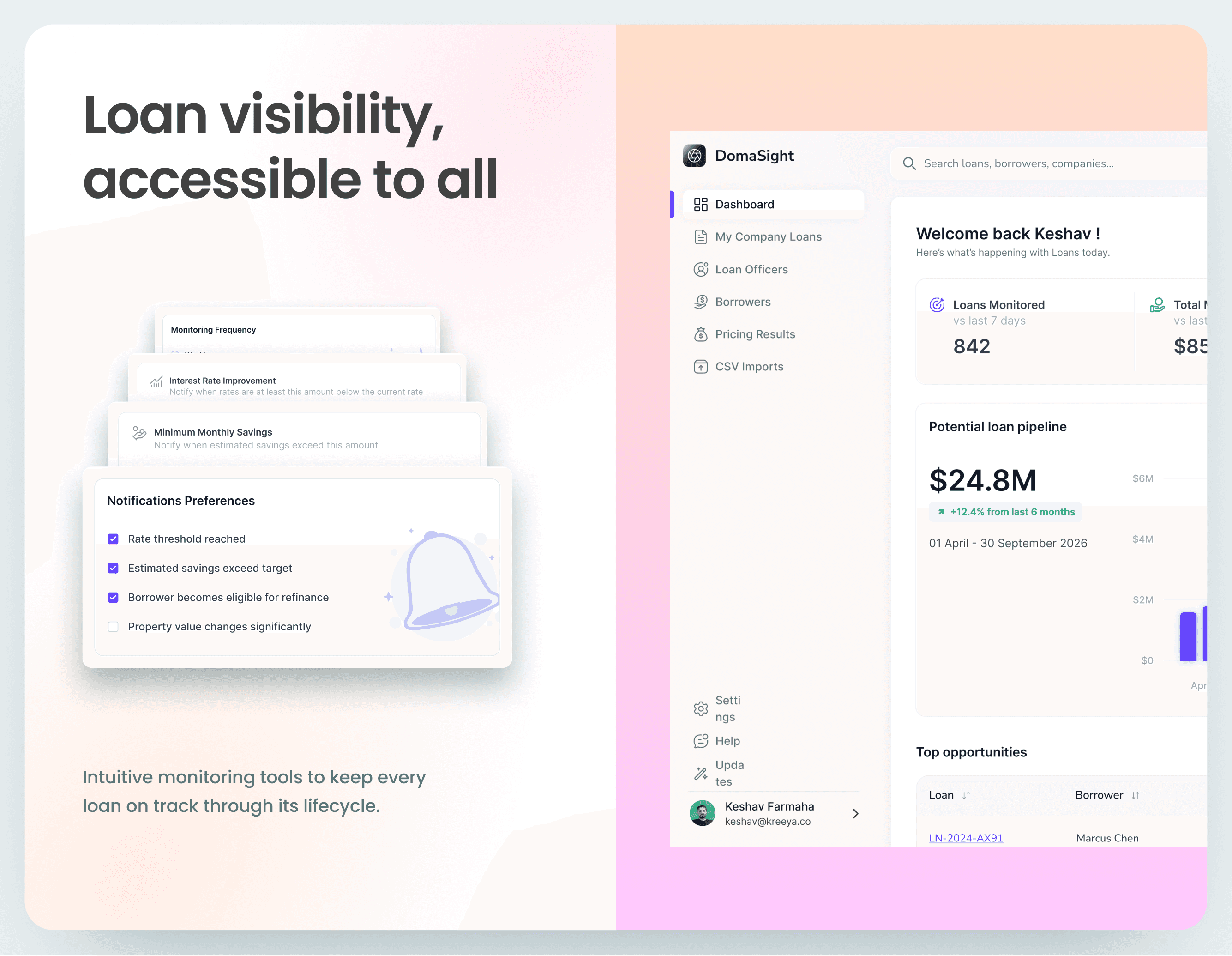
Designing DomaSight’s MVP to turn complex loan data into refinance opportunities
Client
Domasight
Year
2025
Designed the end-to-end MVP for a B2B mortgage platform, simplifying complex loan management workflows into an intuitive experience that helps loan officers identify refinance opportunities and enables the founder to validate the product with real customer data.
Scope of Work
Context
DomaSight is a desktop-first SaaS platform for mortgage professionals that helps identify refinance opportunities using Mortech pricing data. I designed the backend UX and system architecture for the MVP, focusing on workflows for loan management, roles and permissions, settings, imports, and opportunity alerts.
The goal was to transform a complex, data-heavy process into an intuitive product that the founder could validate with real users before a full-scale build.
The Problem
DomaSight had a strong product concept, but the backend logic was complex.
The MVP had to support three different user types:
DomaSight Admins, who manage client accounts, pricing engine credentials, and impersonation.
Company Admins, who manage multiple loan officers, company settings, billing, and pricing guardrails.
Loan Officers, who upload loans, configure triggers, review alerts, and act on refinance opportunities.
That created four major UX problems.
The product needed system design, not just UI screens
The platform required role-based access, permissions, settings inheritance, admin impersonation, CSV workflows, pricing data, and edge-case handling.
Admin impersonation had to be clear
Admins needed to enter client accounts, help with setup, and return to Admin mode without losing contex
The loan drill-down was data-heavy
The loan detail page needed to include property info, borrower info, loan terms, monitoring status, triggers, pricing frequency, and recent pricing data.
The MVP had to stay lean
The product needed to validate whether loan officers could upload loans, monitor them, and identify refinance opportunities — without overbuilding.
The Process

The System thinking snapshots
Requirement clustering
We grouped the requirements into five buckets:
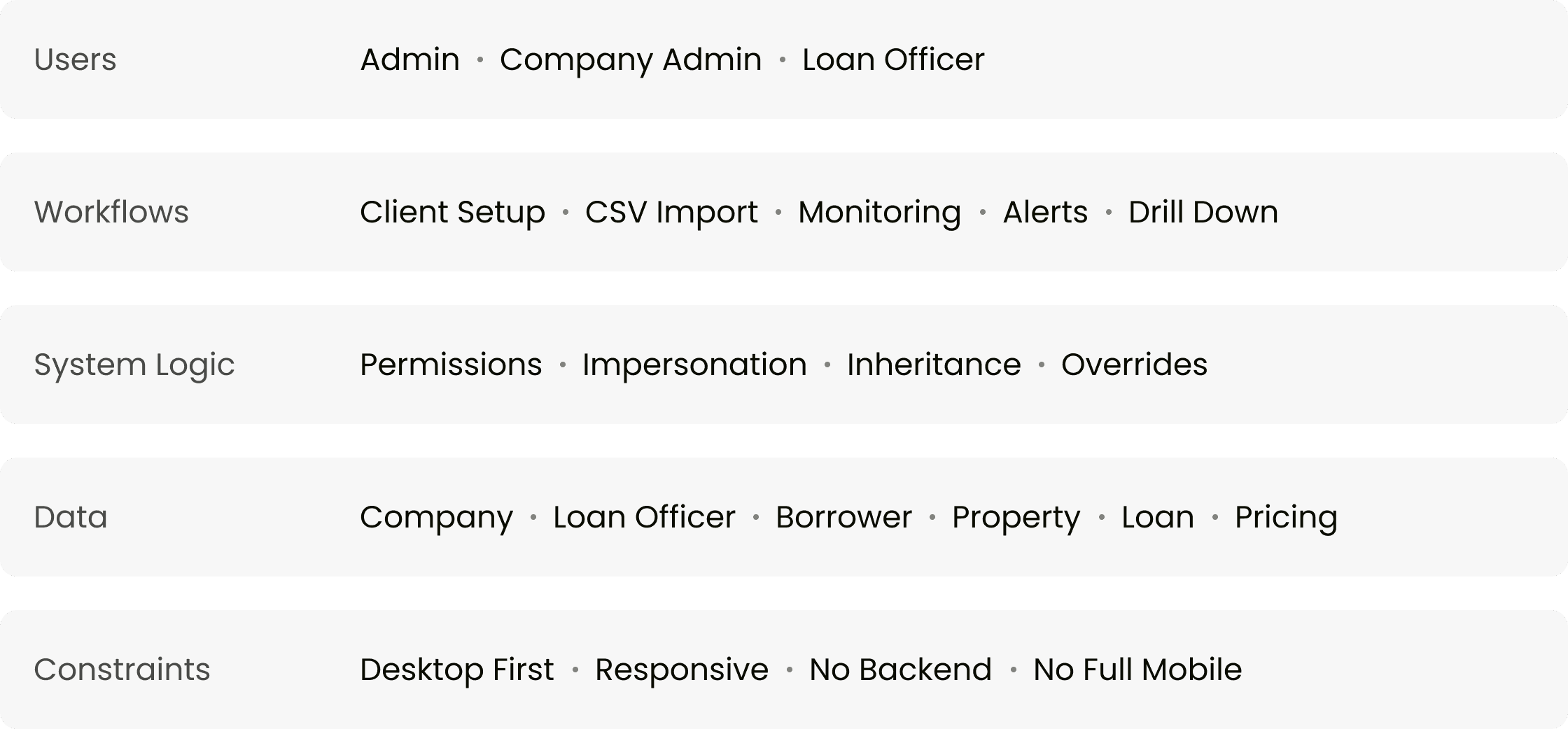
Design decision
We grouped requirements by system behavior, not by pages.
Outcome
This helped us avoid disconnected screens and create a clear product foundation first.
2. Role hierarchy + permissions

Once the roles were clear, we created a permissions matrix. This helped define what each role could access before designing the actual screens.

Design decision
We separated what users could view, edit, and override.
Outcome
The development team could understand role logic without guessing.
User flow snapshot

Design decision
We mapped the key workflows before UI design so every screen had a clear job.
Outcome
The MVP stayed focused on the workflows needed for proof-of-concept validation.
Wireflows are useful for documenting workflows and complex interactions in web apps, especially when teams need to connect screen structure with user action
4. Information architecture
Once flows were clear, we designed the navigation for each role.

Design decision
We avoided one universal navigation for every user.
Outcome
Each role only sees the product areas relevant to their responsibilities.
The UI screens + UX decisions
Admin dashboard


Loan Officer dashboard

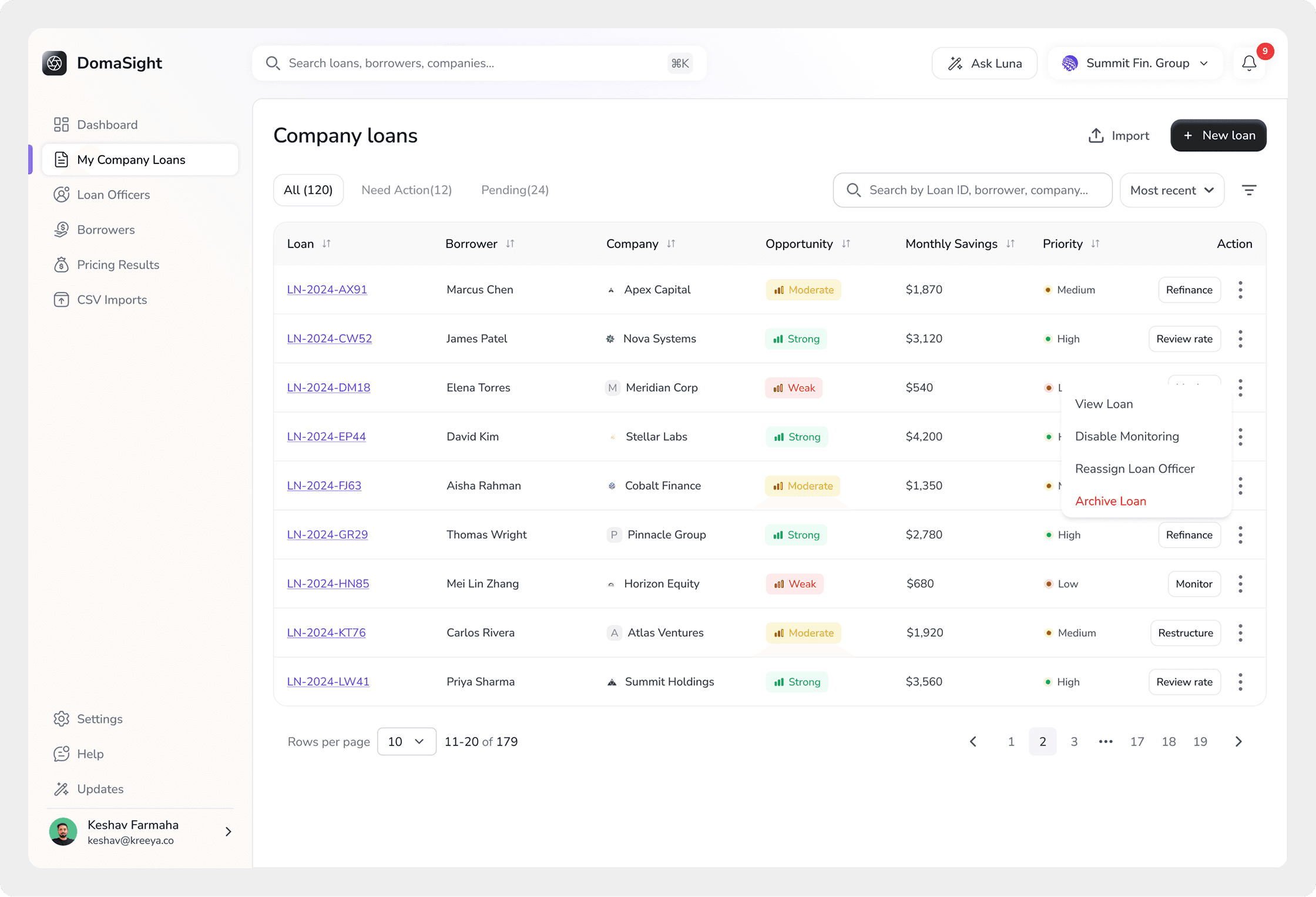
Borrowers / Loans list


The Outcome
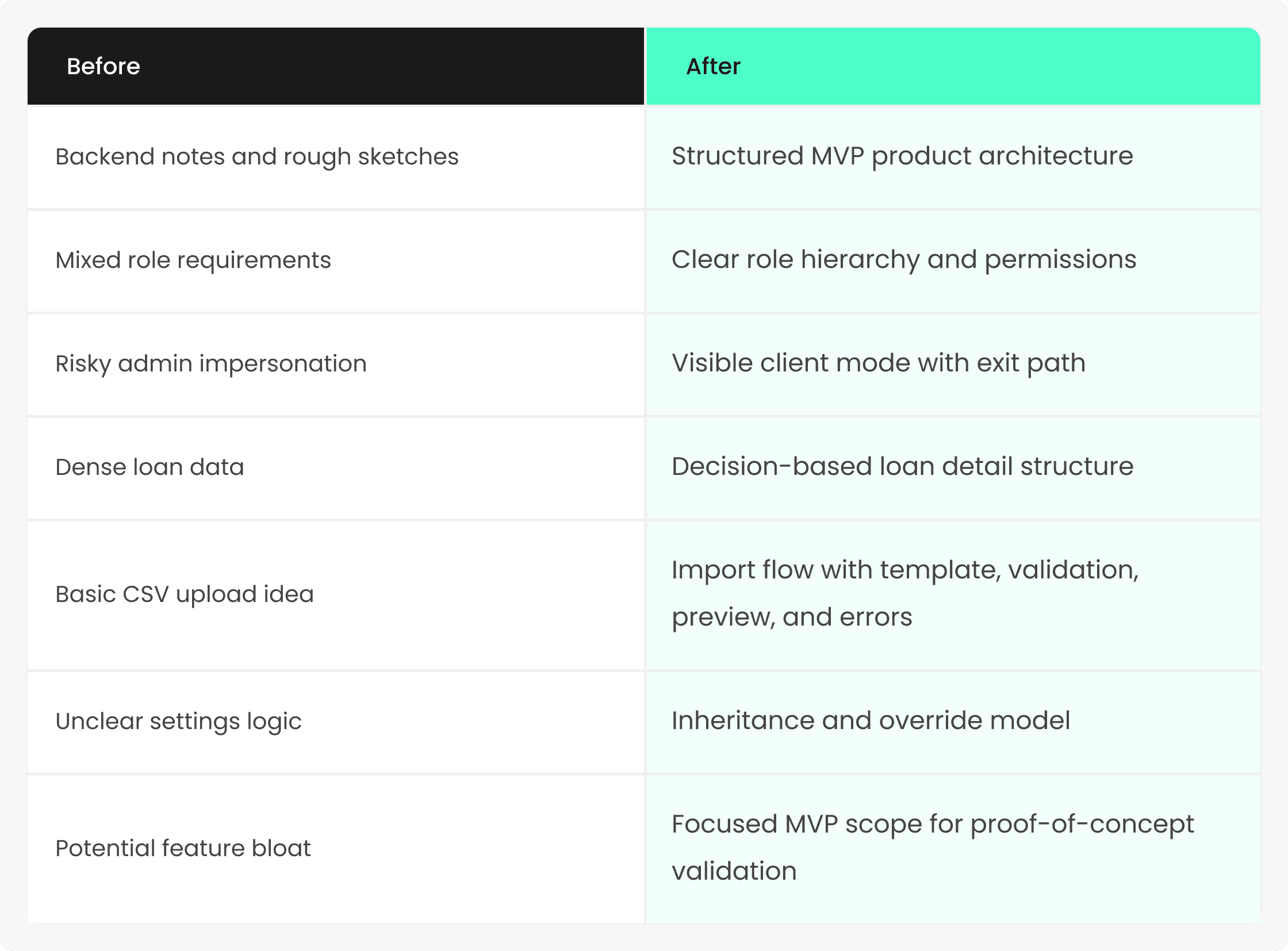
Business impact
DomaSight could move into development with:
Clearer MVP scope
Reduced ambiguity for developers
Stronger role-based system logic
Better support for real-data testing
Clearer loan monitoring workflows
A scalable foundation for future features
We helped DomaSight move from backend requirements to a developer-ready SaaS MVP — turning complex loan data, permissions, and pricing logic into a clear product experience for admins, companies, and loan officers.